Earn money by blogging without adsense approval


You heard it right you can start earning money from your blog the next second without waiting for any kind of approvals like adsense. It's too hard to get an adsense approval then why still running behind it if you have an easy method for monetizing your blog. We are going to use Ayboll for displaying ads on our page instead of adsense. Its works on pay per click the more users click on your ads the  more money you will earn

Just follow this steps


  •  Then provide your email id and a password for your account.


  • After completing your sign up you will reach a page like this ↧↧↧
  • Now click on my widgets under the publish tab. 


  • Now click on the create widget button

  • Now select the type of layout which most suits your site


  • Customize it so that it can easily blend on your site.
  • Scroll to the bottom of the site and click the get code butoon.
  • Now copy and paste your code to your website under the head tag.

  • If your code is correctly installed can see its status in green color as active.

  • Just go to your site it has already begin to show ads and you will earn according to the users click in those ads.
Hope! You find this article useful if you face any difficulties don't forget to tell us.

How to locate your device just by using Google account

locate phone using google account find my device

Google find my device is pre-installed on every android devices by google. You can use this method to track/locate your device anytime,anywhere you want. This is a very useful trick that most of people don't know. You are able to access this by either installing an android app to any of your device and sign in to the same google account which is used by the device you want to locate or use a browser on your pc to sign into your google account.

But before doing this you must be sure that

  1. Your device has an active internet connection and must be sign in to google 
  2. Google Location services must be turned on.
  3. Remotely locate this device and Allow remote lock and erase and must be turned on under the device settings.
After doing this just follow this steps

locate phone using google account find my device

  • After getting a screen like this just select the device you want to locate.
locate phone using google account find my device
  • Now you maybe asked to re-login to your account

locate phone using google account find my device


  • Now click on the locate button.
locate phone using google account find my device

  • That's it your device is located within seconds. You can zoom in this map and view its exact position.

Bonus Trick 

  • By using find my device you are able to lock your device remotely anytime anywhere. You can add a message to your lock screen. 


    locate phone using google account find my device

    • Lol you can also erase your whole device using find my device so that anyone accessing it cannot access your private data.


    locate phone using google account find my device

    Hope you find this trick useful💁💁


    How to mirror your phone to pc without using mobile data

    Mirror phone display to pc wireless

    In this  article you will see how can we mirror our device screen to pc wirelessly using an app.
    Before writing this article I have tested many apps for mirroring screens but only this app give me the expected results. As a bonus this app allows you to stream the sound from your device along with video.

    The speed of  the screen mirroring depends on your device performance and wifi.
    Please note: This app has heavy battery consumption which may results in heating of your device.

    Just follow this easy simple steps⇓⇓

    • First download this app on your device by using this  link.
    Play_store/Screen Stream mirror apk 


    • Now open the App and grant it root access.  

    Mirror phone display to pc wireless


    • You require root access to tether using your device hotspot. 
    Mirror phone display to pc wireless
    • If you don't have a root access enable stream through USB option. 
    • And if needed follow the steps given in the app.
    • Now connect your smartphone and your pc to the same network.
    • Now connect your smartphone and your pc to the same network.
    Mirror phone display to pc wireless
    Mirror phone display to pc wireless
    • Now you enjoy streaming on your pc you can also go to full screen mode.

    Alternative method

    You can also mirror your screen to your pc using a media player like VLC for it
    • Open the options tab of the app and select VLC media play/OBS option.

    Mirror phone display to pc wireless

    • Now on your pc open VLC media player.
    • Go to media > open network stream
    Mirror phone display to pc wireless

    • Now type tcp://192.168.43.1:5000/ or as shown on your device and click the play button.
    Mirror phone display to pc wireless

    Enjoy Mirroring your Smartphone screen 😎😎😎
    Hope you make use of this article...........


    How to create your own QR code for free


    Everyone know what is a quick response code or a QR code, so I'm not giving an introduction. We  can directly enter into this topic. You must have seen QR code on most of things you purchase they are even on your tickets you bought. But do you know that the can be created by this this simple steps.

    Just follow this instructions↡
    You can find alternative QR code generator sites at the end of this article

    1- How to create an offline QR code

    After clicking on the above link you will land u on a page like this.
    • For creating an offline  QR code just click on the text button
    • Type you text and press enter.

    • Now scroll down and click on the download QR code button select the format if you want to download you QR code as an image click on the PNG option and enjoy!

    2-How to create a QR code with a URL  


    • To make a QR code with URL first click on the URL option.
    • Now enter the URL and press enter.


    • Now you can see a live preview on your right side just you can download your QR code directly from there or you can optimise it clicking on the Design your QR code button.

    • Now you can customize its Shape,logo,Colour etc 
    • Take a Screenshot or download it and 

    Alternative links for QR code generating sites online

    1- QR Code Generator PRO

    2- Kaywa QR code Generator

    3- QR code Generator free

    That's it enjoy ✌✌✌

    Yazzy the best app to create fake screenshots


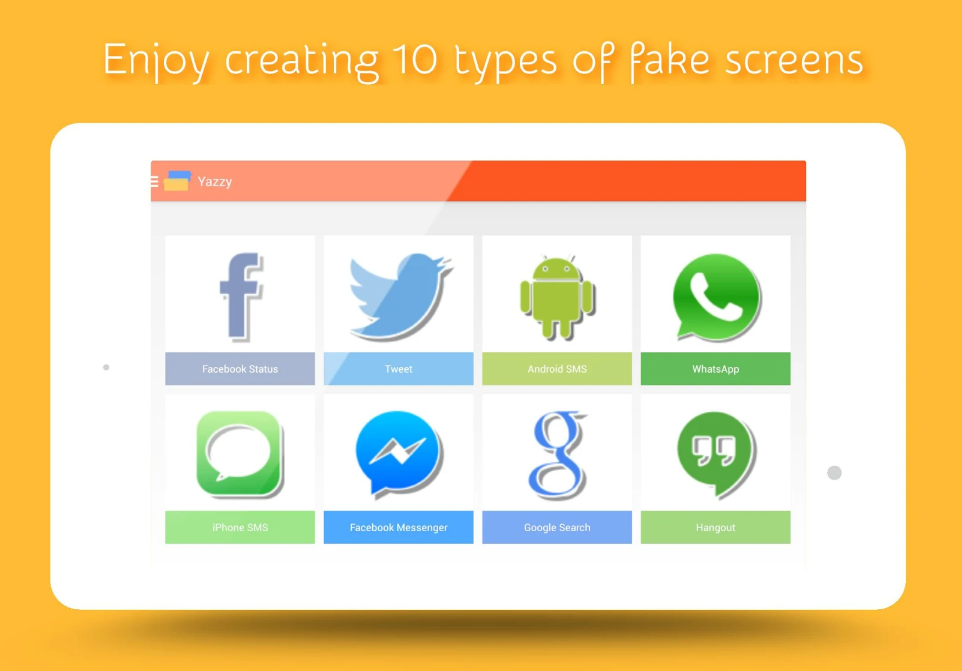
    With Yazzy you can easily create fake, but very realistic, conversations. I personally use this app play prank with my friends. For example you can create fake messages such that your crush proposed you through Whatsapp lol I had really done it. You can troll your friends with it. It supports over 10 types of fake screens. In the older updates like 2.21.3 it also supported  a fake screen for whatsapp but due to legal reasons they removed it.

    Supported fake screens in the latest update:
    • Telegram with emojis and images
    • Instagram post
    • iPhone SMS with emojis support
    • Facebook Messenger
    • Facebook Status with comments and likes
    • Tweets with hashtag and mentions
    • Google searches
    • Google translate
    • Ask.FM
    • Whatsapp [Only on the older versions]

    [Download via Play Store]
    But still you want to use a fake screen for whatsapp just download it from other sites like uptodown,apk mirror etc. Now let's take a quick snap @ my favourite fake screens

    Whatsapp 

    Fake screen for both android and Iphone user are available in this app.
    Everything is easily customisable date, time ,last seen,blue ticks the notification bar too easily customisable .

    We can make fake send & receive messages, Images etc I have used this feature to many times to prank my friends.  

    Instagram 

    With fake screen we can fake instagram post likes etc.

    Google Search


     You can simple fake google suggestions with this app. You time wasted on editing is now saved.

    Twitter 


    Facebook Messenger 


    Simply fake facebook messenger app with a few clicks

    Facebook Status


    You can make fake posts,images, profile,comments and like with this feature.

    Please not I am not responsible for any kind of illegal use of this app.

    Hope you enjoyed this article meet you in the next article bye bye