How to submit your app to Uptodown [Playstore Alternative]

How to submit your app to Uptodown

Uptodown is one of  the best portal to download apps and games for Android,Windows,Mac and even Ubuntu launched in December 20, 2002 Personally I use uptodown.com to download apps for my android phone and pc. It also allows users to upload their own apps to their servers. Just Like Amazon's app store every apps submitted is manually tested before publishing.

In this article I will show you how to upload your android app to Uptodown

  • First visit the site given below                                                                          https://developers.uptodown.com/
How to submit your app to Uptodown

  • Then click on sign up as developer option.Sign up as usual 
How to submit your app to Uptodown


  • You will get an interface like this.
How to submit your app to Uptodown

  • Upload your APK file 
  • Enter the required contents like Operating system,package name etc
  • Now select the available languages in your app. 
How to submit your app to Uptodown
  • Upload its screenshots in the supported formats.
How to submit your app to Uptodown

  • Now add descriptions about your apps  
How to submit your app to Uptodown


  • After adding descriptions click on the files tab.
How to submit your app to Uptodown
  • Configure necessary informations like app version,Languages etc.
How to submit your app to Uptodown

  • Now click on submit to review option and click on the confirm button.
  • Thats all your app is now submitted on Uptodown.com and it will be published on their servers if your app has satisfied their guidelines Gud Luck!!


Here a the top 20 things you must try asking your google assistant


Since its launch google assistant is the best virtual assistant in the tech world. At first it hit all google devices and google soon started to release the update to other devices.Google assistant can be enabled by updating your google app in older devices and it is pre-installed on some newer devices. As I am using it for months to me it works better than Amazon's Alexa and Apple's Siri. Here a the top 20 things you must try asking your google assistant to test its intelligence

1. Hey google drop a beat [My personal favorite]


2. Are you a real person?

3.  Count from 1 to 100

4.  Hey google can you give some money.


5. Where are you living?

6. What is zero divided by zero ?


7. Sing a song for me 


8. Hey google please clean my room 

9. Today is my birthday


10. Will you go on date with me?

11.  Can you cook for me?

12.  Do you have kids ? 

13.  Are you Skynet?

14. What is your hobby ?
15. Whom do you love the most ?

16. Please marry me


17. Will you be my girlfriend ?

18. Do you believe in god ?

19. I'm in love with you do you love me back ?

20. Hey google when was you born ?


Redmi 6 Pro(Mi A2 Lite) Full Review After Using For Two Months

Redmi 6 Pro Mi A2 Lite images review

Redmi 6 pro was launched in India in September 11, 2018. On its launch date it was the first phone in the Redmi series to have a notch. The price of the phone at its launch date was ₹ 11,499.00 for its 3 GB,32 GB variant and ₹ 13,499.00 for its 4 GB,64 GB variant on retail stores. Actually this phone is the lite version Mi A2 and it's launched out of India with its name as Mi A2 Lite. The only difference between Mi A2 Lite and Redmi 6 Pro is Mi A2 Lite has stock android but Redmi 6 Pro has its own MIUI .

Redmi 6 Pro Mi, A2 Lite images review

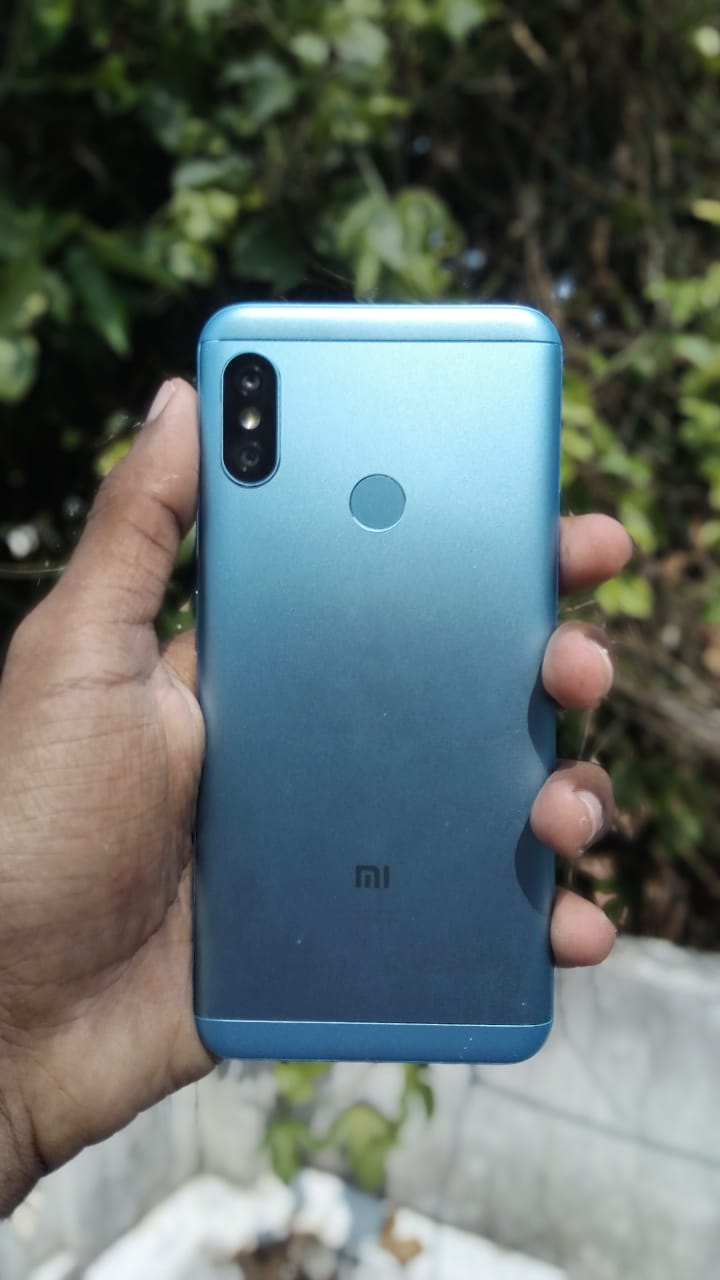
There is no notable difference on the back of the phone than its predecessors.
It has its usual metal back body with plastic at top and bottom. Its look pretty decent.

Redmi 6 Pro, Mi A2 Lite images review

While going to the front its has a notch with 14.8cm (5.84) FHD+ display. A notch isn't a big deal today. When compared to its competitors its display is small but its makes the phone compact and easy for one handed use. A noticeable con here is it has a large chin.

Now let's talk about specs:
[Source MI India]

Camera : 12+5 MP AI dual camera with 1.25μm pixels

Its camera is the best in outdoor but its working in indoor is average. 
I will put some sample images at the end

Screen: 14.8cm (5.84) FHD+ display with 19.9 aspect ratio 

Battery: 4000mAh 

This battery is awesome it can run for 2+ Days for a single charge for normal users and its last for a whole day for hardcore user like me. 

Processor: Qualcomm snapdragon 625 manufactured in a 14nm technology, Adreno 506 graphics processing unit

Even Though it is a two year old processor it is efficient in its performance and its battery life. I test many games like Asphalt 9 Legends, Modern combat 5 etc. Every thing worked flawlessly. 

Software: Android 8.1 with MIUI 10 
It's not officially confirmed but their are chances for this device to get the android pie update. Personally I like the MIUI very much because it is smooth its has very useful features like reading mode, Built-in screen recorder also its theme can be customised easily .If you are not a big fan of stock android experience then MIUI is the best UI 
Sim slot: Dedicated Dual nano sim slots+  SD card slot  
Unlike Hybrid dedicated slots allows u to use 2 sim cards and an SD card at a moment.

Sensors : Its is having all sensors for a device available at this price point like fingerprint, Proximity ,Light sensor with an additional IR blaster which allows you to use your phone as a remote for all devices having an IR receiver
Dimensions

Height: 149.33mm
Width: 71.68mm 
Thickness: 8.75mm
Weight: 178g


Network and connectivity:

Network bands
GSM B2/3/5/8 
WCDMA B1/2/5/8 
FDD-LTE B1/3/5
TD-LTE B40/41(2535-2655MHz)

Wireless 
802.11 a/b/g/n
Bluetooth 4.2
WiFi Direct,WiFi Display
WiFi 2.4G, WiFi 5G

Cons of this device:

I am writing about its cons after using it for 2 months so I can give its cons than anyone else. Front Cam of this device is only 5MP it is a bit lower when compared to other phones at this price point. It is also having some heating issue while charging.While gaming with phone its emits some heat which is avg with its massive 4000mAh battery. Also there are some lags in multitasking with this device. I found that its chin is very larger when compared to others.

The final verdict:

I recommend Redmi 6 Pro if you are looking for a good phone in 11k price segment. It is one of the the best mid rangers coming out with MIUI.
If u want a massive battery,MIUI,A notch design, Dual camera setup, Fast and responsive Fingerprint sensor and an IR blaster then go for it.

Sample Shots with its camera :

image shot on redmi 6 pro,MI A2 Lite

image shot on redmi 6 pro,MI A2 Lite

image shot on redmi 6 pro,MI A2 Lite

image shot on redmi 6 pro,MI A2 Lite

image shot on redmi 6 pro,MI A2 Lite

image shot on redmi 6 pro,MI A2 Lite

image shot on redmi 6 pro,MI A2 Lite


BUY NOW THROUGH AMAZON: https://amzn.to/2GOtFee


How to create your own apps for free just by using a website


You heard it right guys you can now make a free app just using a website. You don't need to have any knowledge in coding or programming. Just got this website https://www.appsgeyser.com/ amd follow my steps it has a very simple UI which helps to make an app within just five minutes. I don't want to waste your time so let's go directly into the topic.

  • First go to this website by using the link given above.


  • And you will get an interface like this.
  •  You can create many kinds of apps using this website. For example I am going to create a blog app.
  • Click on next.
  • Enter app name, give its link ,add a description and click next. 
  • Now click on custom Icon upload an icon crop it and click on next.

  • Now they will ask you to register just sign up with your google or facebook account. 
  • Now you will be taken to a screen like this your app is ready to be downloaded.
  • Scroll down you can either download it by scanning the QR code clicking its link.
  • Now it's time to install the app.
  • It's amazing guys see more screenshots below

  • Check out the app which i created by clicking this Link